

.png)
The Wallet : A new pillar of the customer experience
Apple Wallet and Google Wallet are now in the pockets of billions of users.
Loyalty cards, tickets, invitations, gift cards, and coupons — everything fits.
But the Wallet isn’t just a convenient digital format. It’s an interface between the brand and the customer, a natural point of contact between the online and physical worlds.
In a store, at a ticket booth, or at the entrance of an event, it becomes a tool for fluidity and recognition.
A scan, an update, a notification: the Wallet extends the digital experience into the physical world.
This continuity — both simple and powerful — makes it a unique customer experience lever.
“Why isn’t this already built into my software?”
A recurring question:
Why doesn’t my ticketing, loyalty, or CRM platform already offer Wallet integration natively?
Because the Wallet isn’t just another feature to plug in — it’s an entire technical ecosystem.
You need to manage two platforms (Apple and Google) with very different logic, certificates and digital signatures, constantly evolving APIs, multiple layouts, and complex interactions with business systems.
Without a specialized foundation, these projects often remain prototypes.
They struggle to reach production or demonstrate real ROI.
It’s not a matter of intention — it’s a matter of architecture and expertise.
The 4 foundations of a successful Wallet integration
For a Wallet project to launch and deliver full value, four technical layers must work together:
- Data: The CRM, ERP, or ticketing system contains the information displayed on the pass (points, status, event, balance, etc.).
- Distribution: The channels through which the customer adds the pass (website, email, QR code, mobile app, SMS).
- Update: The ability to sync data in real time to reflect changes (offers, statuses, events).
- In-store or onsite usage: Reading the pass at checkout, at access control, or on an NFC device.
These four pillars form the foundation of a smooth, consistent experience.
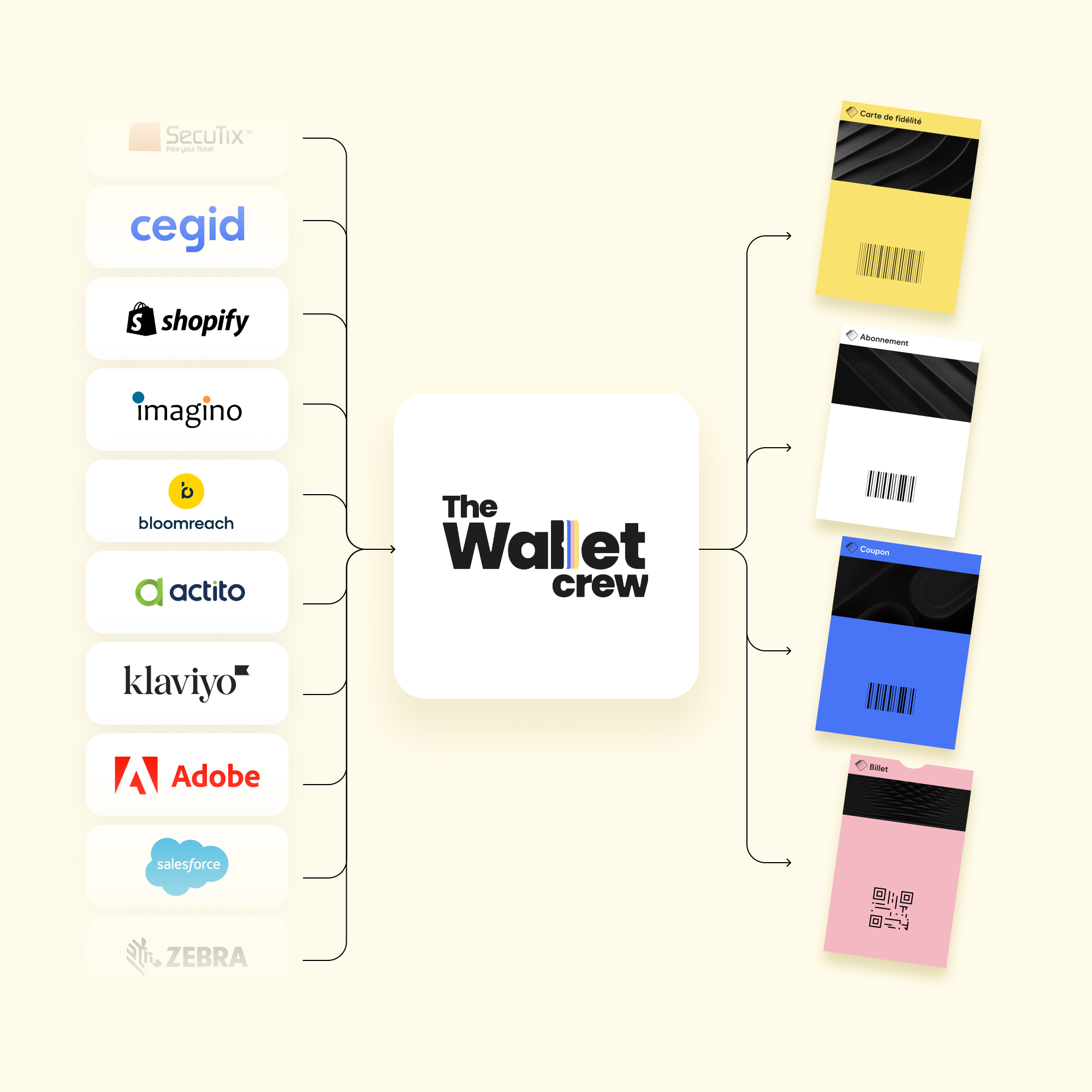
An expert platform serves as the middleware connecting them all, ensuring real-time communication between your systems and Apple & Google Wallet.
Beyond these foundations, true expertise is needed to turn a Wallet project into a success: understanding customer journeys, mastering technical constraints, supporting deployment, and tracking performance.
Beyond the technology itself, this experience is what turns a “test project” into a large-scale success.
Native integration: the key to adoption and ROI
One of the main barriers to Wallet adoption often comes from breaks in the customer journey.
Users sometimes need to go through a dedicated page or an external link to download their card, which dramatically lowers the add-to-wallet rate.
The most effective approach relies on native integration.
Rather than adding a patch or a new landing page, the Wallet solution should integrate directly into existing web, e-commerce, CRM, or in-store environments.
The “Add to Wallet” button appears naturally where it belongs.
The right pass type (Apple or Google) is detected automatically.
The customer adds their card without leaving their purchase, registration, or visit experience.
The addition is smooth, instant, and consistent across all touchpoints: website, email, QR code, app, or in-store terminal.
This is what ensures stronger adoption and a measurable impact on customer satisfaction.
A common engine for unique experiences
Behind every successful integration, there is an engine capable of creating, customizing, and connecting Wallet passes to existing systems.
Such an engine makes it possible to:
- create fully customizable templates
- preview the design in real time
- ensure Apple and Google compatibility
- manage multiple languages and layouts
- connect to your tools (CRM, e-commerce, ticketing)
- track adoption and update metrics
It’s a real Wallet experience builder, just like an email builder in marketing automation, but designed for the mobile and physical world.
Specialized teams work directly with Apple and Google to stay on top of technical evolutions and release new features as soon as they become available.
This ensures experiences that are always up-to-date, scalable, and compliant with the latest standards.
Security, compliance, and performance
A Wallet pass handles customer data, so it must be secure and compliant.
An expert platform acts as a security and governance layer between business systems and users’ Wallets.
It manages Apple and Google certificates, digital signature of passes, data protection and anonymization, GDPR compliance, and revocation in case of error or fraud.
But security isn’t enough, performance matters too.
Each pass holder is connected to the system in real time.
The solution must be designed to absorb heavy load and handle several thousand updates per minute without degrading the service.
This level of technical requirement ensures the project’s reliability and scalability, no matter the number of users.
And if all you need is to display a barcode, that’s possible too
If your only need is to display a scannable barcode at checkout, that’s absolutely possible.
But if you want to offer a richer experience, with personalized and evolving passes that adapt to Apple and Google’s new features and create a positive touchpoint at every interaction, then a specialized foundation becomes essential.
In summary
Creating a Wallet pass is technically accessible with some basic skills.
Creating a smooth, scalable, secure, and physically connected experience requires a solid foundation and real expertise.
That’s what turns an idea into measurable success and a test project into a lasting customer experience.
Retailers, event organizers, software providers: the Wallet is no longer optional.
It is a new way to think about customer relationships, more fluid, more direct, and better integrated.
.png)
.png)